Mobile ordering at Disney World is a great way to save time in queues when the parks are busy and you are hungry. Since its introduction in 2017, there are now over 50 different locations you can take advantage of mobile ordering throughout Disney World.
On busy days there can be really long queues at quick service locations in the parks. We learned that by taking advantage of the mobile ordering via the My Disney Experience app, we could save time waiting in the long queues.
Related post – Best time to visit Disney World
Which Restaurants Offer Mobile Ordering at Disney World
Mobile Ordering At Magic Kingdom
- Aloha Isle
- Casey’s Corner
- Columbia Harbor House
- Cosmic Ray’s Starlight Cafe
- Pecos Bill Tall Tale Inn and Cafe
- Pinocchio Village Haus
- The Lunching Pad
Related Post – Best Quick Service restaurants in Magic Kingdom
Mobile Ordering At Epcot
- Regal Eagle Smokehouse
Animal Kingdom Mobile Ordering
- Flame Tree Barbecue
- Harambe Market
- Pizzafari
- Restaurantosaurus
- Satu’li Canteen
Mobile Ordering At Hollywood Studios
- ABC Commissary
- Backlot Express
- Catalina Eddie’s
- Docking Bay 7 Food and Cargo
- Fairfax Fare
- Milk Stand
- PizzeRizzo
- Ronto Roasters
- Rosie’s All-American Cafe
- Woody’s Lunchbox
Disney Springs Mobile Ordering
- D-Luxe Burger
Mobile Ordering At Disney World Resorts
- Centertown Market (Caribbean Beach Resort)
- Spyglass Grill (Caribbean Beach Resort)
- Contempo Cafe (Contemporary Resort)
- Everything POP (Pop Century Resort)
- The Mara (Animal Kingdom Lodge)
- Artist’s Palette (Disney’s Saratoga Springs Resort)
- Capt Cook’s (Polynesian resort)
- End Zone food Court (Disney’s All Star Sports Resort)
- Gasparilla Island Grill ( Grand Floridian Resort)
- Intermission Food Court (Disney’s All Star Music Resort)
- Landscape of Flavours (Art of Animation Resort)
- Primo Piatto (Disney’s Riviera Resort)
- Riverside Mill Food Court (Port Orleans Riverside Resort)
- Roaring Fork (Disney’s Wilderness Lodge Resort)
- World Premiere Food Court (Disney’s All Star Movies Resort)
Related Post – Tips When Staying at Disney’s Caribbean Beach Resort
How To Use Mobile Ordering At Disney World
Using mobile ordering on the My Disney Experience app is very simple. The only two things you have to remember before trying to make a mobile order is that the restaurant has to be open before you can order and you can only use mobile order on the day you wish to eat.

- Open the My Disney Experience App
- Select the menu from the bottom right hand side
- Select mobile food orders
- Create new order
- Select restaurant
- Choose Order food
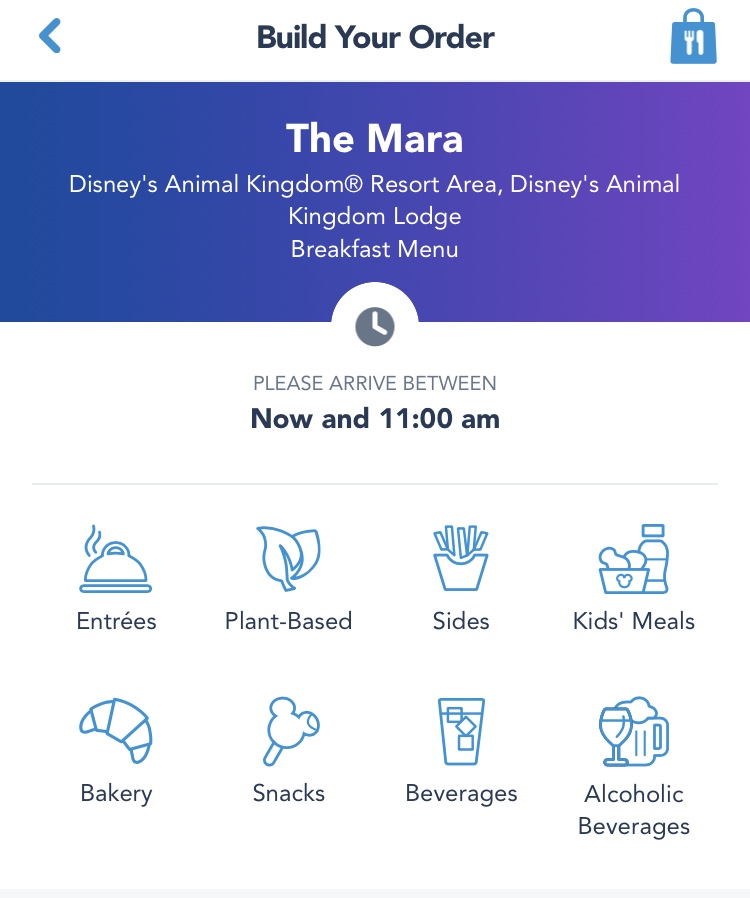
- Use selections to choose your food orders
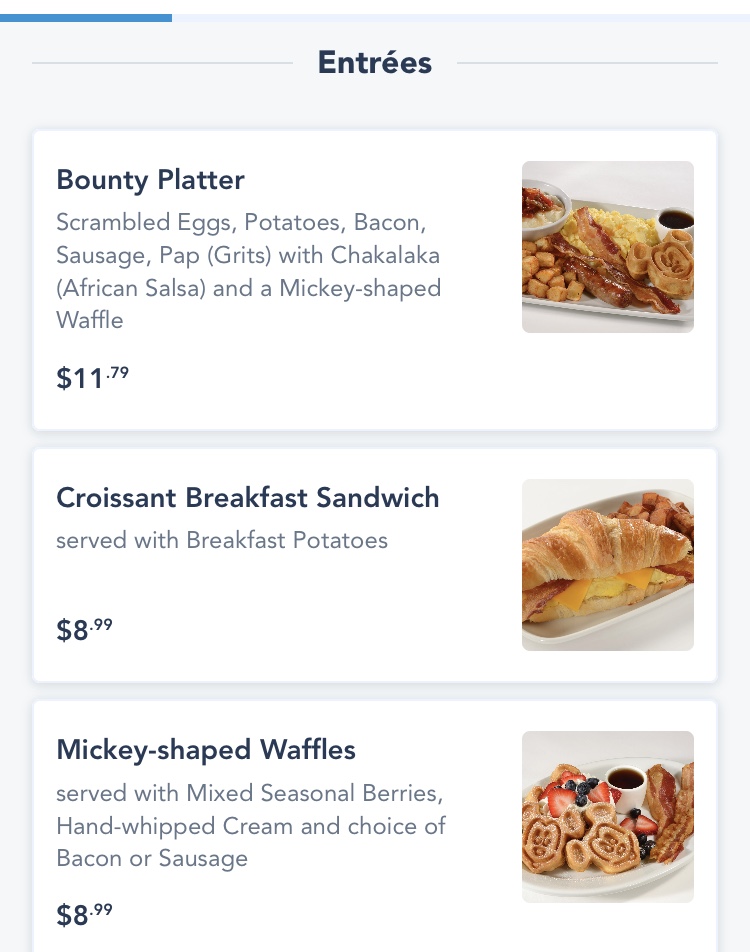
- View your order (you can then review or modify your selections
- The payment screen will show your total and allow you to pay using your credit card on file or use your Disney Dining plan if applicable.
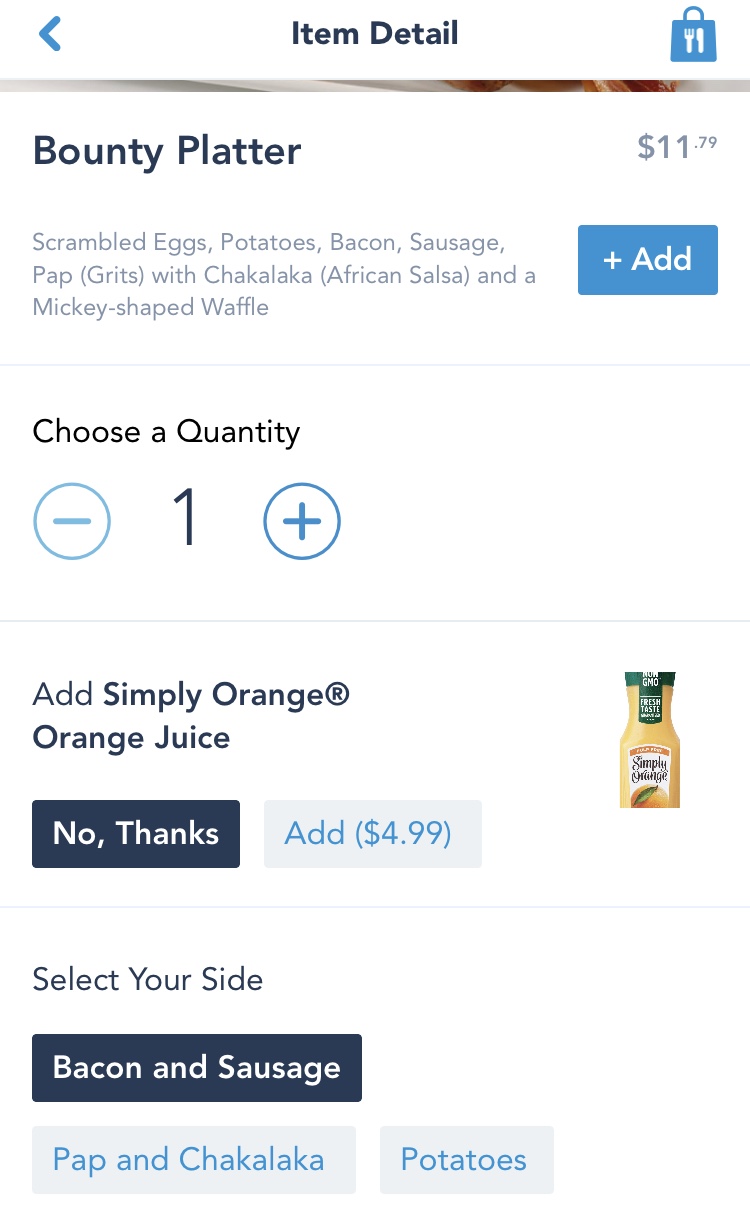
- This can all be done before you have arrived at the restaurant so as long as the restaurant is open, you can do this whilst relaxing in your room in the morning, or waiting in a line for an attraction etc.
- Once you arrive at the restaurant, open your order and click the “I’m here prepare my order” button (Or you can do this just before you arrive as it will take a few minutes for your order to be prepared).
- You can now find somewhere to sit and wait for the app to let you know your order is ready.
- There is a separate queue in the restaurants to collect your mobile order from.
Our first experience of using mobile ordering was on a hot busy day in Magic Kingdom. We all decided we wanted a dole whip float, however the queue was so long.
We spotted a table with some shade nearby so we sat down and used mobile ordering to prepare our order. This meant we could sit and wait for a while in some shade before using the shorter mobile order queue to collect our ice cream.